AI Face Swap
Swap face with anyone in seconds. Upload your photo and target photo and get realistic face change with ImagineArt's AI face swapper. Try our online free face swap now! No editing experience needed, no watermark added.
How To Use Face Swap
Upload the Face You Want to Swap
Start face swapping by uploading the target image where the swapped face will appear. ImagineArt Face Swap app uses this as the main photo to ensure precise blending and realistic alignment.
Upload the Face You Want to Target
Next, upload the image containing the face you want to swap. AI Face Swapping app automatically detects facial features and prepares both photos for a smooth, natural merge.
Generate Face Swap Image in One Click
Click ‘Generate’ to process face change. AI Image Face Swap delivers a high-quality, realistic result with perfect tone and expression. Download the finished image directly, or refine it using ImagineArt AI Image Editor.
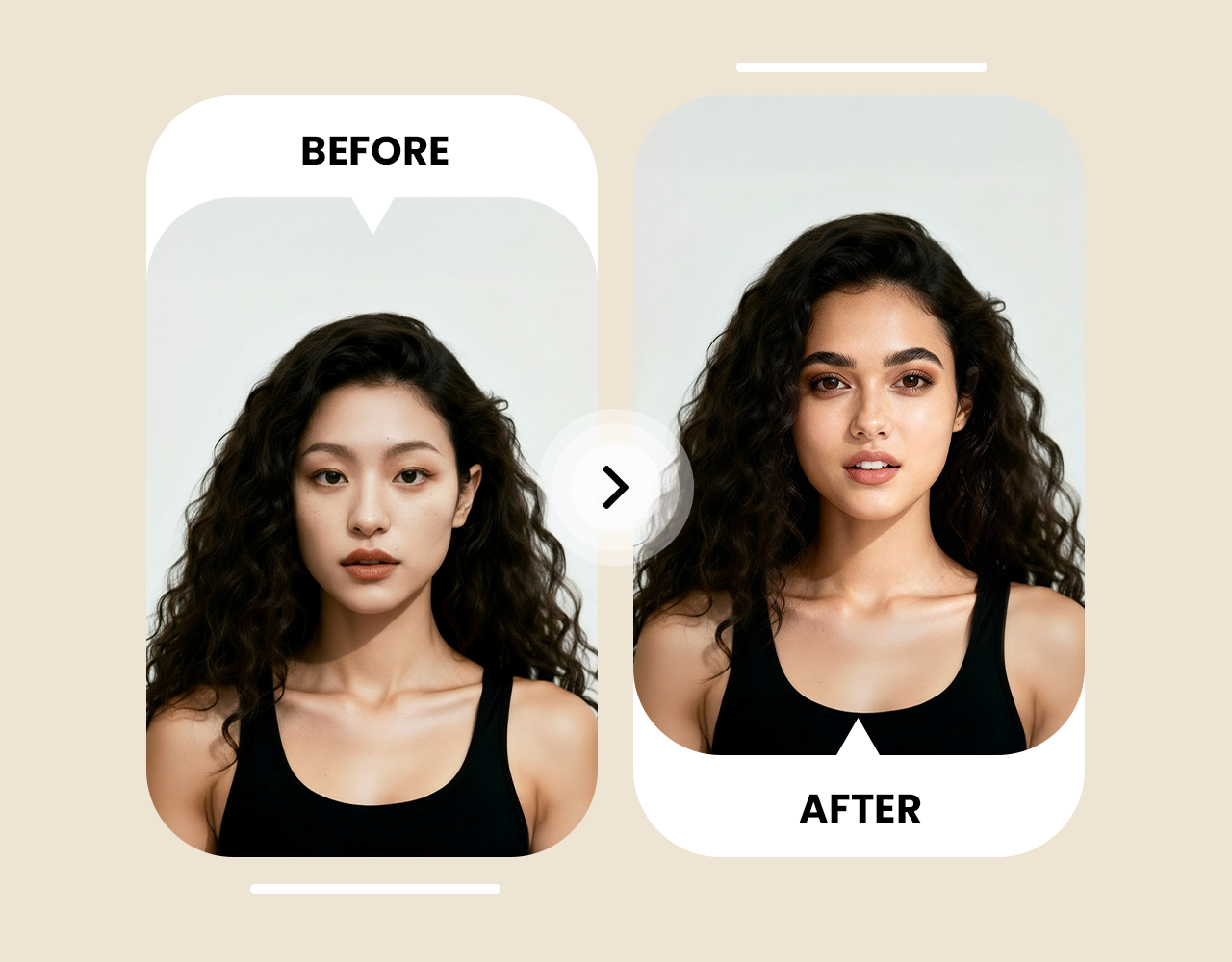
Realistic Face Swaps That Look Natural

Make Viral Content with Meme Face Swap
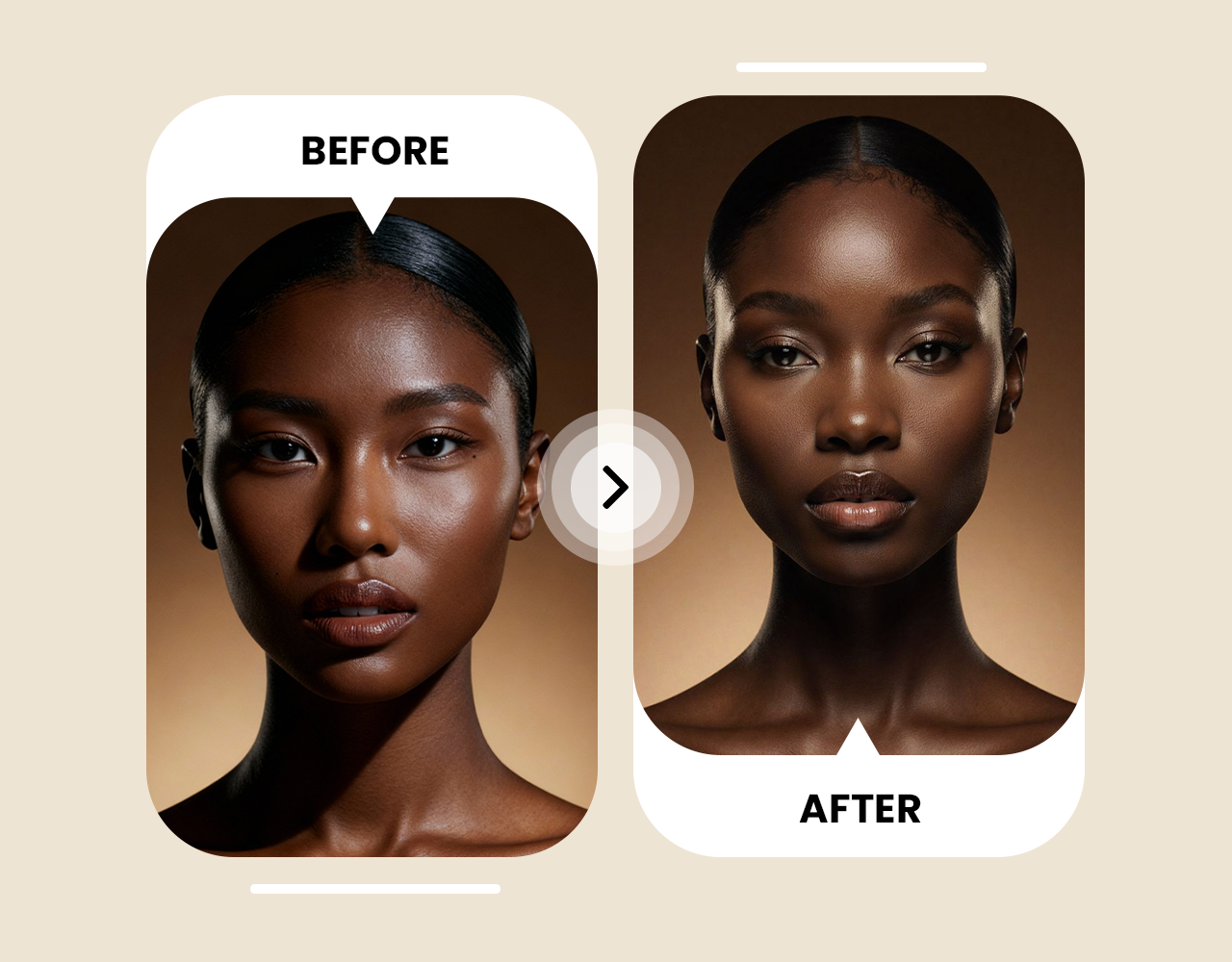
Celebrity Face Swap Made Fun and Easy








Trusted by Professionals and Creators from top Brands and Companies
Let’s Hear What Users Say About AI Face Swap
Tried swapping faces for a few old photos of my friends and didn’t expect it to look this real. ImagineArt AI Face Swap app handled angles, lighting, and even small facial details better than most paid apps.

Anya Petrova

Used it for a campaign preview to test ad visuals with different models. ImagineArt AI Face Swap online made the edits fast and realistic, saving both time and production cost.

Ben Harris

Started using ImagineArt AI Face Swap for memes with friends. At first we tried face swapper for fun and laughs, but now it’s part of my creative workflow. It keeps skin texture sharp and makes every image look natural enough to share anywhere.

Isabelle Kim

Experimented with different artistic concepts and character designs using ImagineArt AI Face Swap app. It lets me test ideas quickly without complicated software or editing skills.

Michael Chenn

Common Questions About AI Face Swap App
AI Face Swap is a tool that uses AI to replace one person's face with another in a photo, automatically matching skin tone, lighting, and expression for a realistic result. With ImagineArt Face Swap, you upload your photo and a target face, and get a clean, believable swap in seconds - ideal for memes, celebrity edits, and social content.
Face Swap looks at your photos and detects facial features. It then swaps one face with another while keeping expressions, skin tones, and lighting realistic. The result looks natural and ready to share online.
Yes, using AI to swap faces is 100% legal. You can use photos or images you have permission to use, or photos that are royalty-free. However, avoid swapping photos of private or copyrighted images without consent. It’s safe when used responsibly.
No, you do not need to install anything. ImagineArt Face Swap works entirely online, so you can upload images and create realistic face swaps directly in your browser. It is fast, easy, and ready to use on any device.
ImagineArt AI Face Swap is one of the best online tools. It creates realistic face swaps with proper alignment, natural skin tones, and smooth blending. You get high-quality results without complicated editing.
Yes, ImagineArt face swap lets you try the tool for free by giving 100 free credits when you sign up. This lets you create realistic face swaps for free instantly. But our paid options give you unlimited face swaps as well as access to other apps.
Use clear photos with front-facing faces and good lighting. Make sure both images have similar angles for accurate swapping. The Face Swap will create realistic and natural-looking results.
Yes, blurry or very dark images may reduce accuracy. Extremely angled faces or obstructed features can make swaps look less natural.
Yes, ImagineArt Face Swap is faster and easier than Photoshop. It automatically matches tones, aligns faces, and blends details. You get realistic results in seconds without needing editing skills.
Absolutely, ImagineArt Face Swap is great for memes and edits. You can swap faces with friends, celebrities, or characters. The results look real and are perfect for social media.
AI ImagineArt, we have strict privacy policies about the users’ information and images. We keep your images secure, and they are not shared with any third party. So rest assured, our AI Face Swap app is 100% safe to use.
ImagineArt AI Face Swap generates results in seconds. With our fast and high-performing processors, you can get your high-quality AI face swap image instantly. This requires no complicated editing or software installation.
Yes, Face Swap automatically adjusts skin tones. It matches colors, shadows, and highlights for a natural blend. The result looks realistic and professional.