
Syed Anas Hussain
May 13, 2026 • Updated June 16, 2026
14 mins Read
I didn't expect making a movie with AI to feel this real. I've been experimenting with AI video tools for a while now, but when I sat down and actually walked through the full process — concept, storyboard, shots, voiceover, edit — it hit differently. This isn't clip generation anymore. This is filmmaking.
In this guide, I'm going to walk you through exactly how to make a movie with AI in 2026, from the first idea in your head to a finished film you can share. I'll cover what you actually need before you start, the step-by-step process inside ImagineArt AI Film Studio, tips for getting a cinematic look, realistic timelines, and what it all costs.
Whether you're a solo creator, an indie filmmaker, or a marketer trying to produce content at scale — this guide is for you.
What You Need to Make a Movie with AI
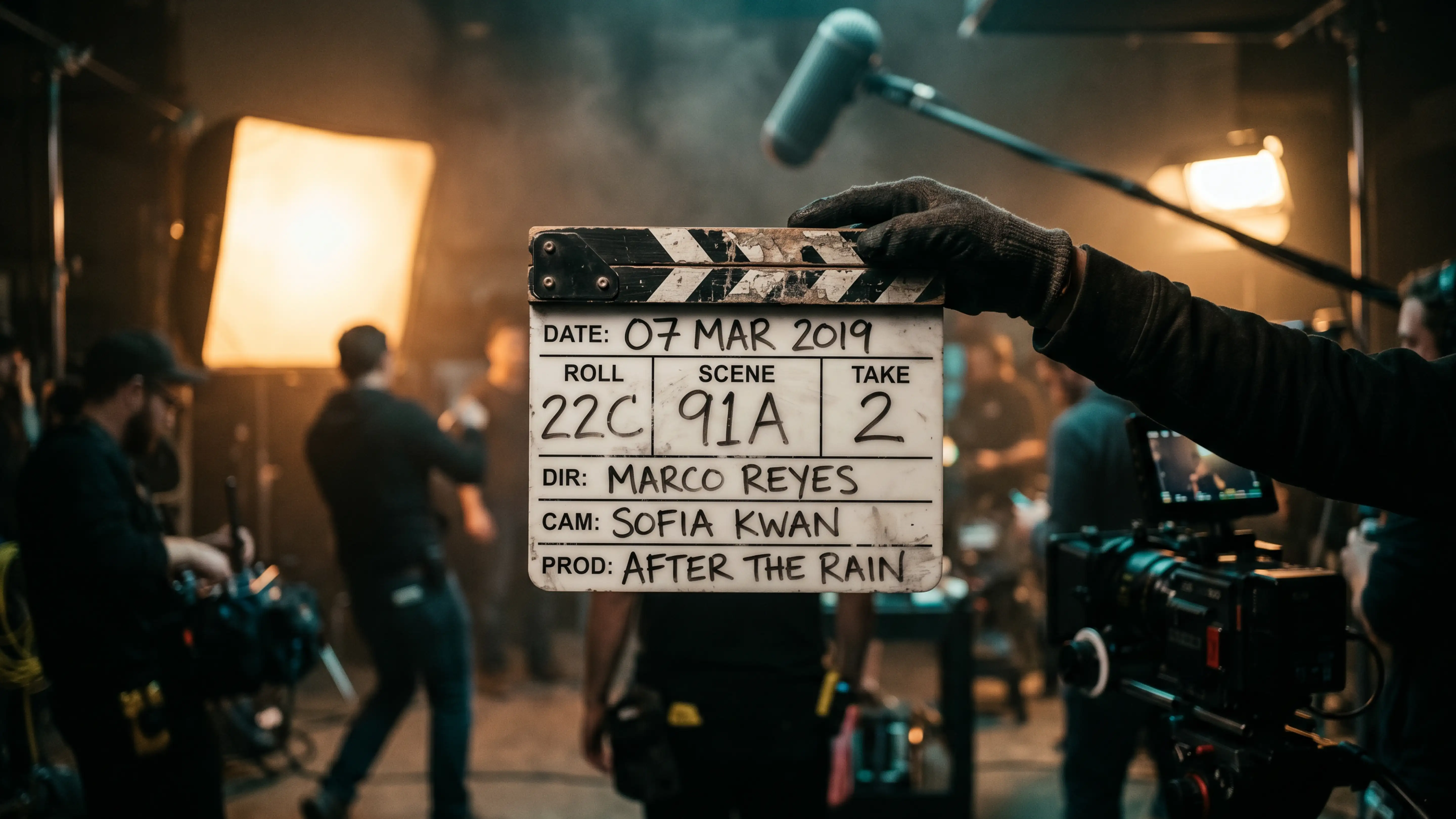
Before I get into the step-by-step, let me clear up a common misconception: making a movie with AI doesn't require a camera, a crew, editing software, or a film school degree. But it does require a few things if you want the result to look good.
1. A Clear Concept
AI tools are incredibly responsive to direction — but they can't invent your story for you. You need a concept. Even a sentence: "A lone astronaut discovers a signal from Earth 200 years after civilization collapsed." That's enough to start.
If you're making something shorter — a brand video, a social clip, a teaser — your concept can be even simpler. The point is having a creative direction before you open any tool.
2. A Script or Shot List
You don't need a full Hollywood screenplay. But you do need some form of structure. I usually write a loose shot list — five to fifteen shots, each described in one or two lines. Something like: "Wide shot: abandoned cityscape at dusk, dust blowing through empty streets." That single line becomes my prompt.
If you want to go deeper on this, I've written about how to create a film storyboard with AI — it's worth reading before you start a longer project.
3. An AI Film Platform
Not all AI video tools are built for filmmaking. Most generate short clips in isolation — there's no project structure, no timeline, no way to maintain visual consistency across shots. For making a movie — something with a beginning, middle, and end — you need a platform designed for it.
I use ImagineArt AI Film Studio. It's built specifically for multi-shot filmmaking: you generate images, turn them into video, assemble them on a timeline, and add audio — all inside one environment. I'll walk through it in detail below.
4. Reference Images (Optional but Powerful)
If you have a visual style in mind — a colour palette, a character design, a specific aesthetic — having reference images speeds everything up. You can upload them directly into Film Studio and use them as a base to generate from.
5. Some Time to Experiment
I'm not going to pretend the first generation is always perfect. It rarely is. Part of making a movie with AI is iterating — tweaking prompts, adjusting camera settings, regenerating a shot that didn't quite land. Budget time for that. It's part of the process.
How to Make a Movie with AI: Step-by-Step Inside ImagineArt Film Studio
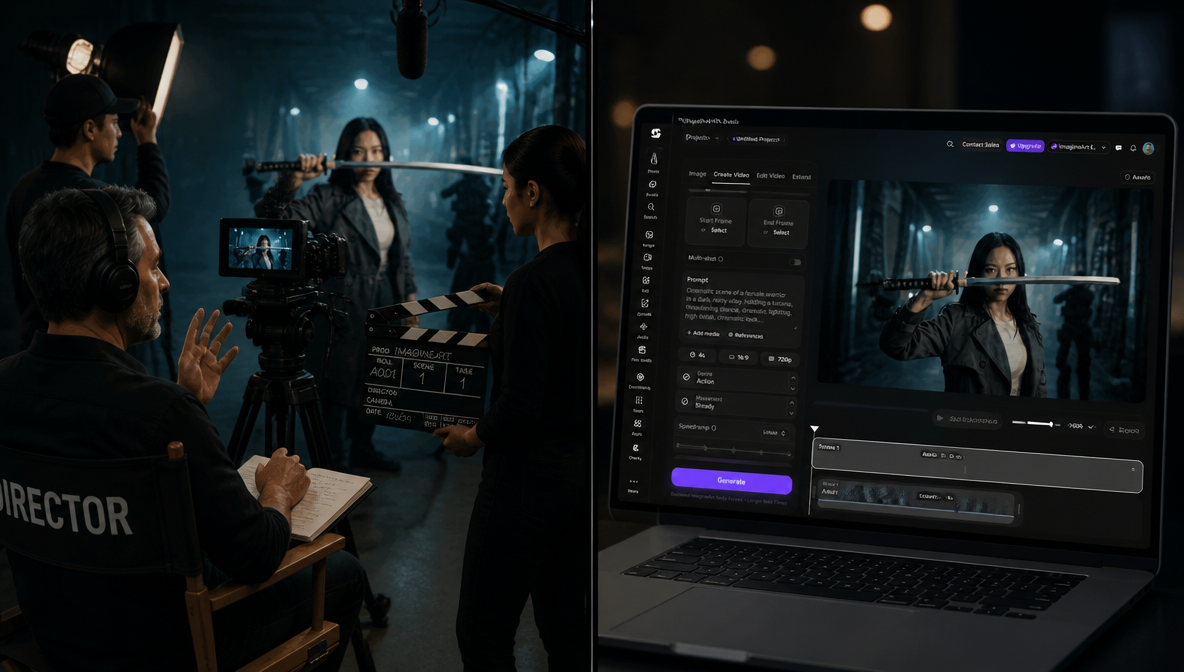
Here's the full process I use. This is based on the actual onboarding flow inside ImagineArt AI Film Studio, which walks you through 14 steps — from your first image to a finished scene on the timeline.
I'll break it down into the five phases of actual filmmaking.
Phase 1: Create Your First Shot (Image Generation)
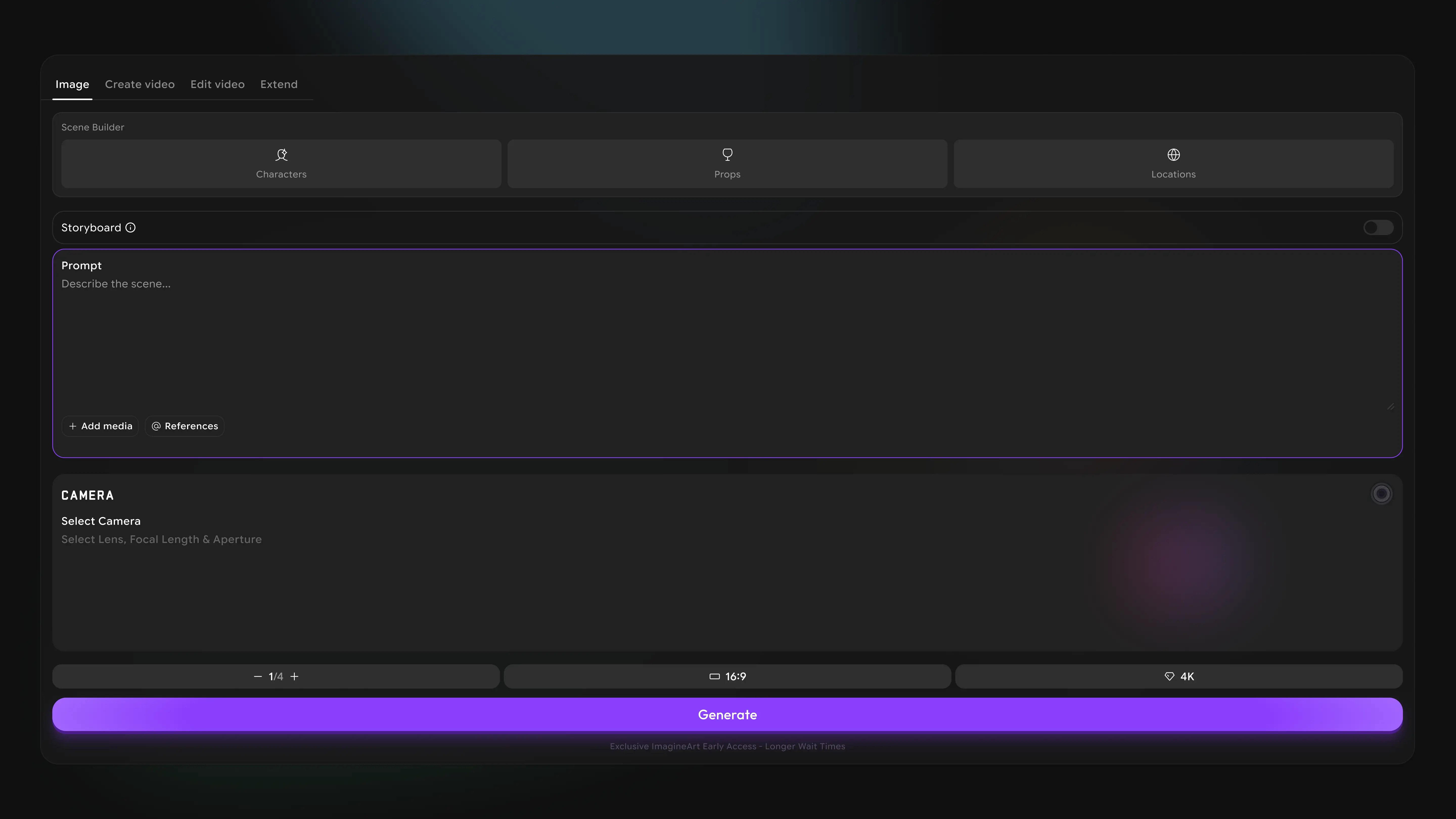
Everything starts with the Create Image tab. This is where you brief the AI like a director — describing who's in the shot, where they are, what the mood is, and how the camera sees it.
Film Studio gives you a pre-written prompt to start from, which is genuinely useful if you're not sure how to phrase things. The prompt structure is: subject + location + time + mood. Clear and specific beats vague every time.
Inside the Cinematographer's Toolkit — which is one of my favourite features — you can set camera body, lens type, focal length, and aperture before generating. This is what separates Film Studio from generic AI video tools. You're directing the look, not just describing a scene.
You can also:
- Upload a reference image to generate from, instead of starting from scratch
- Turn on Storyboard Mode to generate a consistent sequence of connected frames in one go — great for maintaining visual continuity
Phase 2: Expand Your Scene with Scene Jump
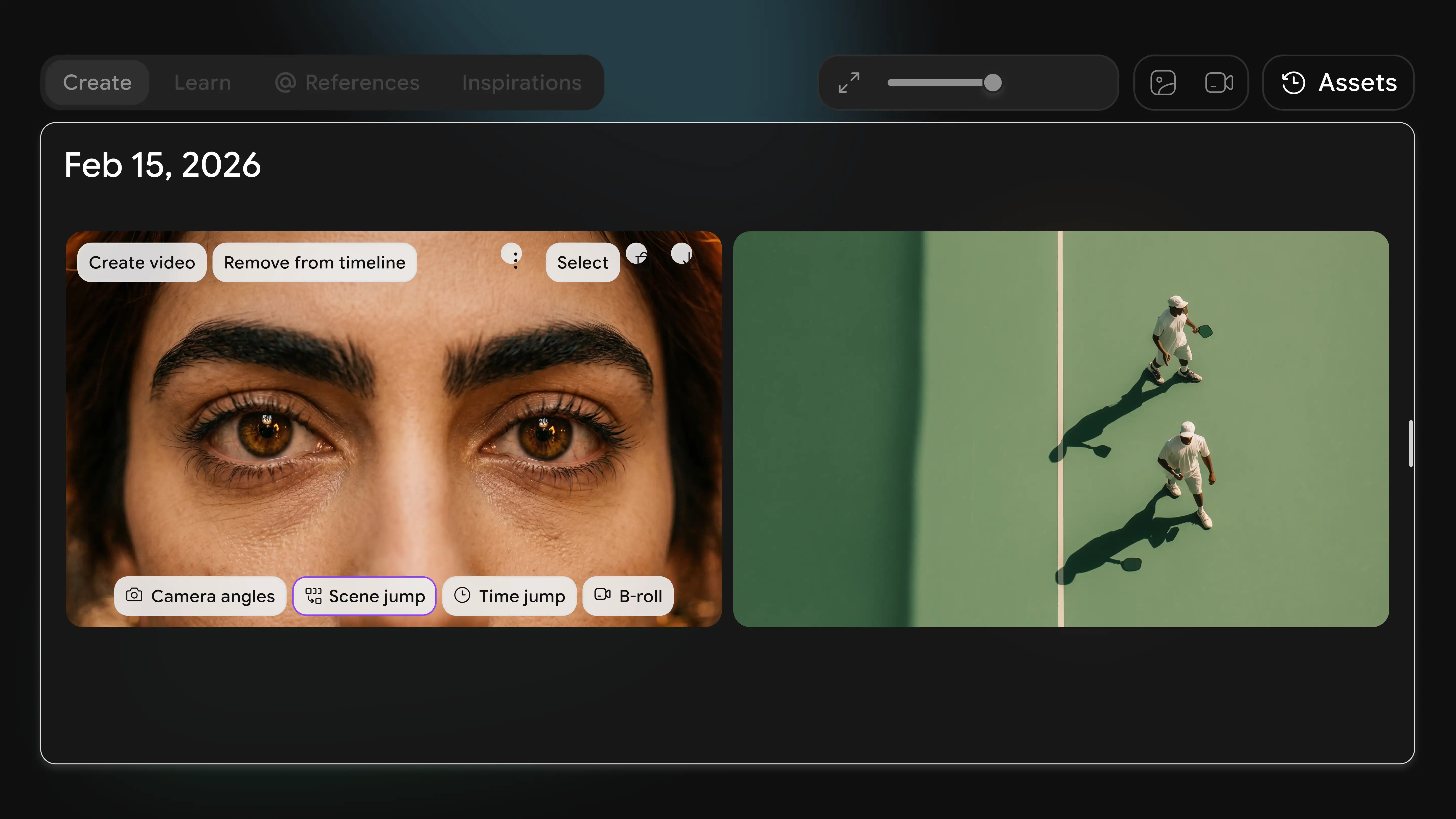
Once you have a shot you're happy with, hover over it and click Scene Jump. This generates four connected shots from the one you just made — a setup, escalation, and payoff for your scene.
This is one of the most useful features for filmmakers who think in narrative terms. Instead of generating shots one by one, Scene Jump builds a scene arc from a single frame. I use it constantly.
If you want to understand how this fits into broader pre-production, I recommend reading AI pre-production with Film Studio — it goes into how to plan your full film before you generate a single frame.
Phase 3: Bring Your Shots to Life (Create Video)
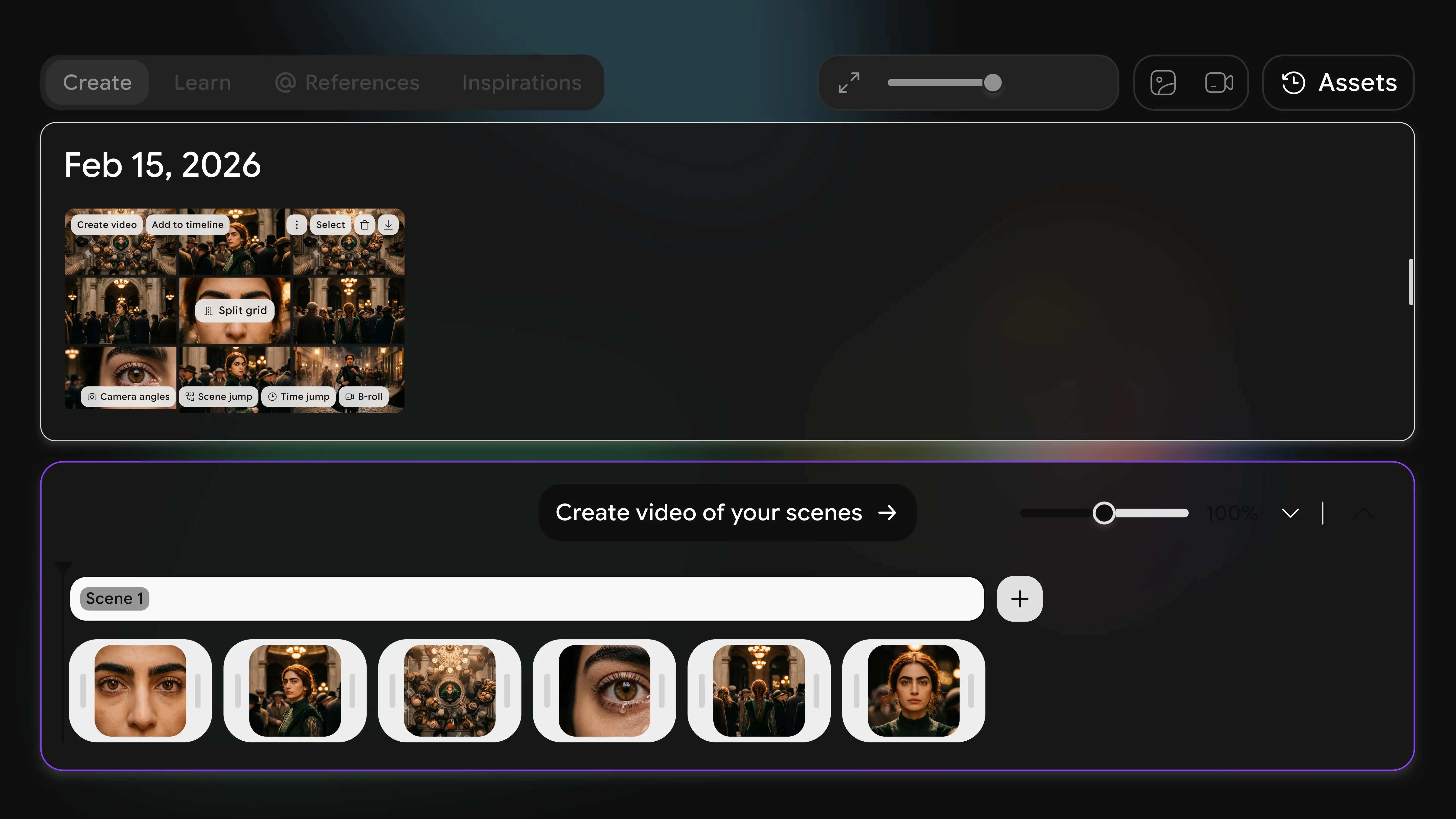
With your image sequence ready, move to the Create Video tab. Film Studio automatically splits your sequence into separate shots and lets you define camera movement for each one independently.
This is where the film starts to feel real. You can set:
- Camera movement per shot (push in, pull back, pan, static)
- Duration of each shot
- Motion intensity
The AI doesn't give you a model selector here — it handles model selection intelligently in the background based on your inputs and the visual style you've established. Your job is creative direction. The platform handles the technical execution.
For a deeper look at the video generation side, see how to use ImagineArt AI Film Studio and AI tools for film production.
Phase 4: Assemble Your Film on the Timeline
Your clips land on the scene timeline. This is where you edit — drag clips to retime them, reorder shots, and see your whole film laid out in one place.
The timeline is intuitive and non-destructive. I regularly reorder scenes, cut shots I don't like, and experiment with pacing here. It's the closest thing to a real editing interface I've used in an AI filmmaking tool.
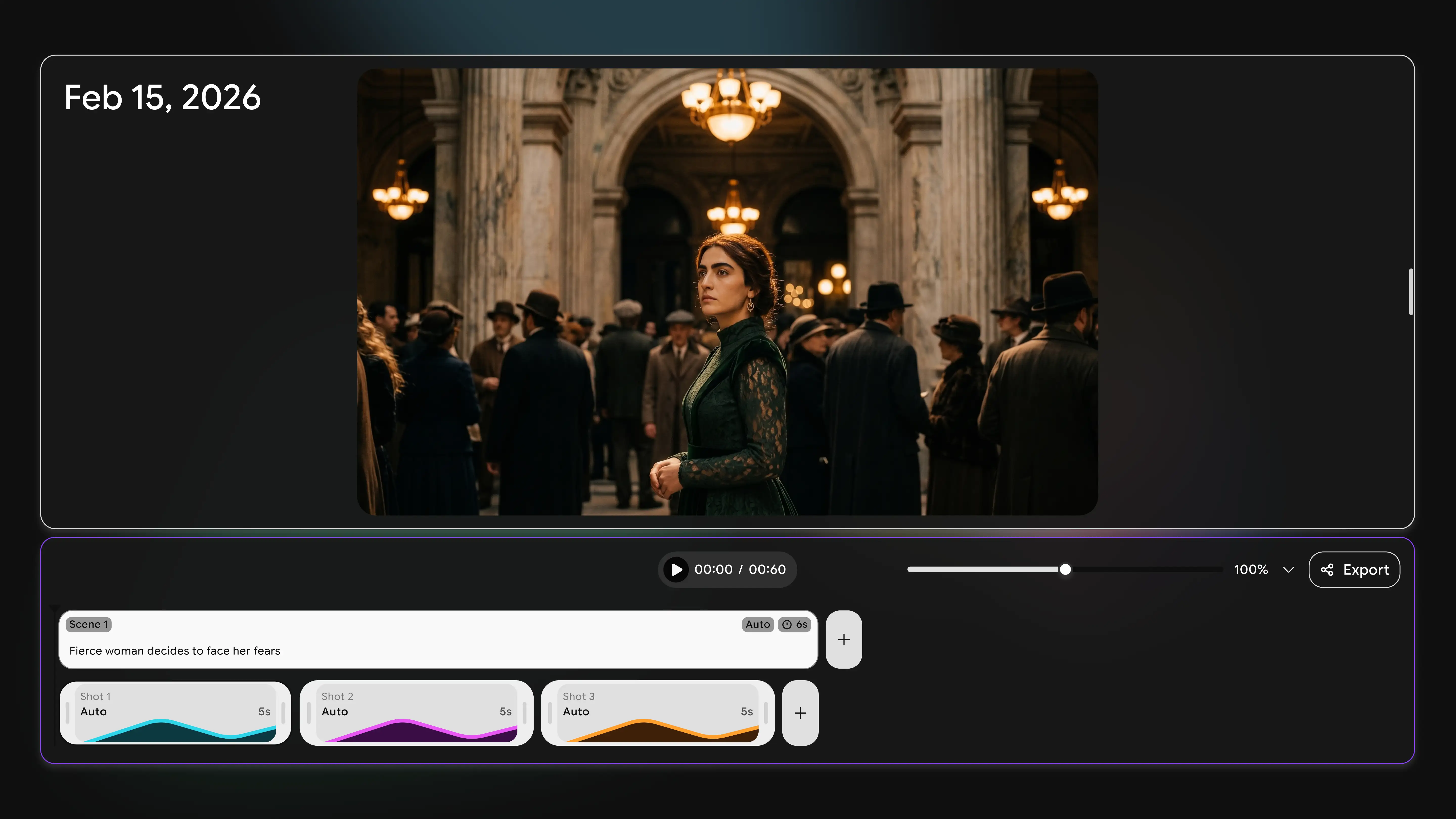
Want to extend a clip? Use the Extend feature — hover over any shot and clip it out further. I've written about how to add AI visual effects to videos if you want to layer effects on top at this stage.
Phase 5: Add Audio and Export
A film without sound is a slideshow — but it's important to understand exactly how audio works in ImagineArt's filmmaking pipeline, because it works differently from what you might expect.
Audio inside Film Studio is limited to Seedance's native audio. If you generated your video using Seedance, it will include the audio that came with that generation. You cannot add music layers, ambient sound layers, or any additional audio tracks inside the Film Studio timeline. There is no audio editor or mixer inside Film Studio itself.
To generate audio for your film, you need to go to ImagineArt Audio Studio separately. This is where you generate voiceover narration, character dialogue, ambient sound, and music tracks. Audio Studio is a standalone tool — you produce your audio there, download the files, and combine them with your exported video.
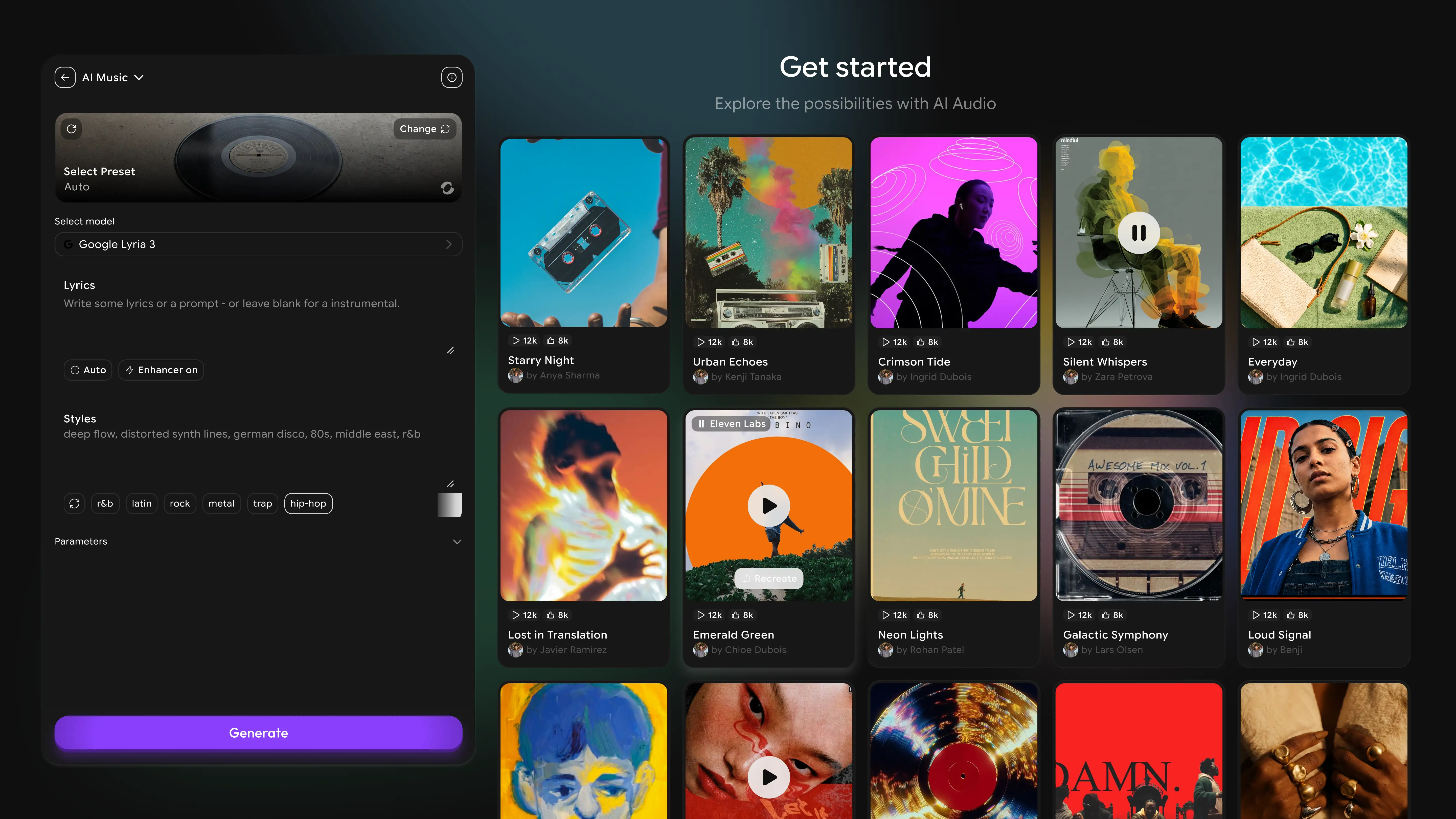
For a short film, the typical audio workflow is:
- Export your finished video from Film Studio
- Go to imagine.art/audio to generate narration, dialogue, or music
- Download the audio files from Audio Studio
- Combine video and audio in your editing tool of choice
On export: Film Studio exports in the aspect ratio of the mode you generated in. You cannot change the aspect ratio at export time — if you generated in 16:9, you export in 16:9; if you generated in 9:16 (Shorts mode), you export in 9:16. Plan your aspect ratio before you start generating, not at the end.
Once exported, your video file is ready to bring into Audio Studio's sync workflow or your own editor for final sound layering.
Tips for Making Your AI Movie Look Cinematic
Generating video is the easy part. Getting it to look like a real film takes a bit more intentionality. These are the things that have made the biggest difference in my own work.
Brief Like a Director, Not a Prompter
The single biggest upgrade you can make to your output quality is in how you write prompts. Vague prompts produce generic output. Directorial briefs produce cinematic output.
Instead of: "A woman walking in a city"
Try: "Tracking shot from behind — a woman in a grey coat walks through a rain-soaked Tokyo street at 2 AM, neon reflections on wet pavement, shallow depth of field, melancholy mood"
For more on this, my AI film prompts guide covers prompt structures for different shot types, moods, and genres.
Commit to a Visual Preset Early
Film Studio's presets set the colour grade, contrast profile, and visual tone for your project. Choose one before you start generating and stick to it. Mixing presets across shots is the fastest way to make a film look incoherent.
This is also the core lesson from AI character consistency in Film Studio — consistency is a deliberate choice, not something that happens automatically.
Use B-Roll Intentionally
Not every shot needs to advance the plot. Atmospheric B-roll — a close-up of hands, a wide establishing shot, an environmental detail — adds texture and pacing. If you're not familiar with the concept, my guide on what is B-roll breaks down how and when to use it.
Watch for Common AI Film Mistakes
There are specific failure modes in AI filmmaking: inconsistent character appearance, unnatural motion, overly smooth camera movement, and generic lighting. I've documented all of them in AI film mistakes and how to fix them. Read it before you finalize anything.
Think in Scenes, Not Clips
The best AI films I've seen are structured as scenes — each one has a setup, a middle, and an end. Scene Jump in Film Studio is designed for this. Use it instead of generating isolated clips and trying to connect them in post.
If you're also using your AI film footage inside paid ad creative, the same hook principles apply — Best Hooks for Video Ads in 2026 covers how to open any video in a way that stops the scroll in the first three seconds.
How Long Does It Take to Make an AI Movie?
This depends heavily on the length of your film and how much iteration you do. Here's what I've found in practice:
- 60-second short film: 2–4 hours for a first draft, another 1–2 hours for refinement
- 3-minute brand video or short: 4–8 hours total including audio
- 5–10 minute short film: 1–3 days for a polished result
- Feature-length (30+ minutes): 1–3 weeks, depending on team size and iteration pace
These numbers assume you're working solo. With a team — one person on prompts, one on audio, one on editing — you can cut these timelines significantly.
The biggest time variable isn't generation — it's creative direction. Clear prompts, committed presets, and a structured shot list will save you more time than any tool feature.
If you're wondering how the process compares to traditional production, AI Film Studio vs traditional filmmaking breaks it down in detail.
How Much Does It Cost to Make an AI Movie?
This is where AI filmmaking completely changes the economics of production. Here's a realistic breakdown:
| Production Type | Traditional Cost | AI Cost (ImagineArt) | Time Saved |
|---|---|---|---|
| 60-sec short film | $5,000–$50,000 | $0–$50/mo | Weeks → Hours |
| 3-min brand video | $10,000–$100,000 | $0–$50/mo | Months → Days |
| Feature film (10 min) | $50,000+ | $20–$100/mo | Months → Weeks |
ImagineArt's free plan gives you full Film Studio access with no credit card required. Paid plans start at around $9–$20/month and unlock higher resolution, more generation credits, and priority processing.
Compare that to a traditional 60-second brand film, which starts at $5,000 and scales to $50,000+ for professional production. The cost structure is fundamentally different — and so is the time to delivery.
For brands and marketers, the math on how AI cinema works has become impossible to ignore. And if you're producing ad creative at this scale, what is an ad creative is worth reading to understand how AI-generated film fits into a paid media workflow.
Make Your Movie in One Place with ImagineArt Film Studio
Most AI video tools give you one piece of the puzzle: a clip generator, an audio tool, or a basic editor. ImagineArt Film Studio gives you the whole pipeline in one place — and that's the difference between making clips and making a movie.
Here's what you get inside Film Studio:
- Director-level prompting with Cinematographer's Toolkit (camera body, lens, focal length, aperture)
- Storyboard Mode for generating consistent shot sequences
- Scene Jump for building narrative scene arcs from a single image
- Multi-shot video creation with per-shot motion controls
- Timeline-based editing with drag-and-drop clip management
- Export in the aspect ratio of your generation mode (16:9 for film/YouTube, 9:16 for Shorts — set this before you start)
- Audio generation via ImagineArt Audio Studio — a separate tool where you generate narration, dialogue, and music, then combine with your exported video
It's the most complete AI filmmaking environment I've worked in. And it's free to start.
If you want to see how Film Studio stacks up against making a movie the traditional way, read AI Film Studio vs Traditional Filmmaking. And if you want to go from concept to first shot as fast as possible, check out how to make a movie trailer with AI — it's a great quick-start project.
Once your film is ready, the next step is turning it into ad creative that performs — how to use AI to test ad creative variations shows you how to run structured tests so you know which version of your video actually converts.
Final Thoughts
Making a movie with AI is no longer a novelty. It's a legitimate production method — one that's accessible, affordable, and genuinely capable of producing cinematic results when you approach it with the same intentionality you'd bring to any creative project.
The tools have caught up. The question now is whether you're going to use them.
If you've been sitting on a concept — a short film idea, a brand video you've been putting off, a trailer for a project that doesn't have a budget yet — Film Studio is the place to start. Free to try, no credit card, full access.
Yes. AI filmmaking tools like ImagineArt Film Studio support the complete production pipeline — concept, storyboard, shot generation, video creation, audio, editing, and export. Films up to 10 minutes can be produced entirely with AI, and longer projects are achievable with structured planning. The quality of the output depends on the quality of your creative direction, not the technology.
For end-to-end movie production, ImagineArt AI Film Studio is the most complete platform available in 2026. It combines image generation, video creation, timeline editing, and audio in one environment — which is essential for maintaining consistency across a multi-shot film. Standalone video generators are useful for clips but not for structured filmmaking.
No prior filmmaking experience is required. ImagineArt Film Studio includes an onboarding flow that walks you through every stage of the process, from generating your first shot to assembling a scene on the timeline. The platform is designed to make film directing accessible — the Cinematographer's Toolkit and briefing system guide you through directorial decisions even if you've never been on a set.
ImagineArt Film Studio is free to start with no credit card required. Paid plans start at approximately $9–$20/month and unlock higher resolution, additional generation credits, and priority processing. Compared to traditional film production — which starts at $5,000 for a 60-second clip — AI production reduces costs by 95–99% depending on project scope.
A 60-second short film takes 2–4 hours for a first draft and another 1–2 hours for refinement. A 3-minute film takes 4–8 hours including audio. A 5–10 minute short film typically takes 1–3 days for a polished result. Timeline depends on how many iterations you run and the complexity of your concept.
Yes. ImagineArt Film Studio offers full free access with no credit card required. You can generate images, create video, and assemble a timeline on the free plan. For audio, you'll need to visit ImagineArt Audio Studio separately — that's where narration, dialogue, and music are generated. Upgrading to a paid plan gives you more credits and higher resolution output, but you can complete a full short film on the free tier.
ImagineArt Film Studio handles model selection intelligently in the background — you don't choose a model manually. The platform selects the best model for your inputs and visual style, which means you focus on creative direction rather than technical configuration. The underlying models are production-grade and support cinema-quality motion, consistent lighting, and coherent subject movement.
How is AI filmmaking different from traditional filmmaking?
The main differences are cost, speed, and team size. Traditional filmmaking requires a crew, equipment, locations, and significant post-production resources. AI filmmaking replaces most of that with prompts and a browser. The creative fundamentals — story, shot composition, pacing, sound — remain the same. For a detailed comparison, read AI Film Studio vs Traditional Filmmaking.
Syed Anas Hussain
Syed Anas Hussain is a computer scientist blending technical knowledge with marketing expertise and a growing passion for AI innovation. Curious by nature, he dives into new AI sciences and emerging trends to produce thoughtful, research-led content. At ImagineArt, he helps audiences make sense of AI and unlock its value through clear, practical storytelling.