
Sameer Sohail
July 24, 2025 • Updated July 9, 2026
16 mins Read
AI video generation saves time and cuts costs. That’s a given. But before you dive in, it’s important to ask: what do these tools really cost, and more importantly, what quality of output can you expect in return?
As AI video tools become more powerful and diverse, choosing the right one takes more than going with the most popular option. From advanced cinematic models to low-cost mobile tools, each platform serves a different purpose.
This guide breaks down AI video generator pricing across 15 leading tools: what each plan costs, roughly what you pay per video, which options are genuinely cheapest, and the hidden fees that never make it onto pricing pages.
How AI Video Generation Pricing Work
| Plan type | Typical cost |
|---|---|
| Free tier | $0 (limited credits/watermarks) |
| Creator subscription | $20–$50/month |
| Pro subscription | $50–$100/month |
| Professional / team | $200–$400/month |
| Credit-based (per minute) | $0.50–$30/minute |
| Enterprise / API | Custom pricing |
AI video generation costs range from free to $400+/month depending on the platform, model tier, and how much you generate. Most creators and small teams spend between $20–$100/month on a subscription plan. If you prefer pay-as-you-go, expect to spend $0.50–$30 per finished minute of video depending on the model quality and length.
Before comparing tools, it helps to understand the three pricing models you'll encounter:
-
Subscription-based You pay a flat monthly fee and get a set number of credits or generations per month. Best if you generate video consistently and want predictable costs. Most platforms — including ImagineArt — use this model.
-
Credit-based / pay-per-use You buy credits and spend them as you generate. Different models cost different amounts per generation. Better for occasional use or when you want to mix multiple models without committing to one platform's subscription.
-
Enterprise / API pricing Custom contracts for teams generating at scale. Usually includes higher resolution outputs, faster processing, commercial licensing, and dedicated support. Pricing is negotiated directly.
AI Video Generation vs. Traditional Video Production Cost
This is where AI video generation changes the economics entirely:
| Production method | Cost per finished minute |
|---|---|
| AI video generation | $0.50–$30 |
| Freelance video production | $1,000–$5,000 |
| Small agency production | $5,000–$15,000 |
| Full agency production | $15,000–$50,000+ |
For content creators, marketers, and small businesses, AI video generation removes the minimum spend barrier entirely. A freelance shoot has a floor cost regardless of how short the video is. AI generation doesn't.
All 15 Tools at a Glance
Here is the full AI video generator pricing picture in one table, sorted by entry price. Details and plan breakdowns for each tool follow below.
| Tool | Best for | Free tier | Cheapest paid plan |
|---|---|---|---|
| Kling | Realistic motion | 66 credits daily, watermarked, non-commercial | $6.60/mo annual ($10 monthly) |
| Luma Ray2 | Physics-aware motion | Yes, 720p, watermarked | $6.99/mo annual ($9.99 monthly) |
| Pika | Playful social effects | 80 credits/mo | $8/mo annual ($10 monthly) |
| PixVerse | Fast short clips | Daily credit renewals | $10/mo |
| ImagineArt | Multi-model video + image | 100 credits refill daily | $11/mo (billed quarterly) |
| Runway | Filmmaker toolkit | 125 credits, one-time | $12/mo annual ($15 monthly) |
| VEED | Editing suite with AI tools | Yes, watermarked, 720p | $12/mo annual ($19 monthly) |
| Seedance | Multi-shot storytelling | No | $12.50/mo |
| Hailuo | Fast cinematic clips | 1,000 credits, watermarked | $14.99/mo |
| Synthesia | Business avatar video | 3 min/mo | $18/mo annual ($29 monthly) |
| Pictory | Script-to-video with stock | Trial only | $19/mo |
| Google Veo 3.1 | Premium cinematic, 4K | No | $19.99/mo (Google AI Pro) |
| Sora 2 (OpenAI) | Cinematic storytelling | No | Via ChatGPT Plus $20/mo; standalone app discontinued April 2026 |
| HeyGen | Avatars and localization | 3 videos/mo | $24/mo annual ($29 monthly) |
| InVideo | Template-driven ads | Yes, watermarked | $35/mo |
Pricing verified July 2026. Annual rates shown where they differ from monthly billing. Vendor pricing changes often; confirm on each tool's pricing page before purchasing.
Top 15 AI Video Generators by Cost
Here's a pricing breakdown of top 15 AI video generators:
ImagineArt AI Video Generator
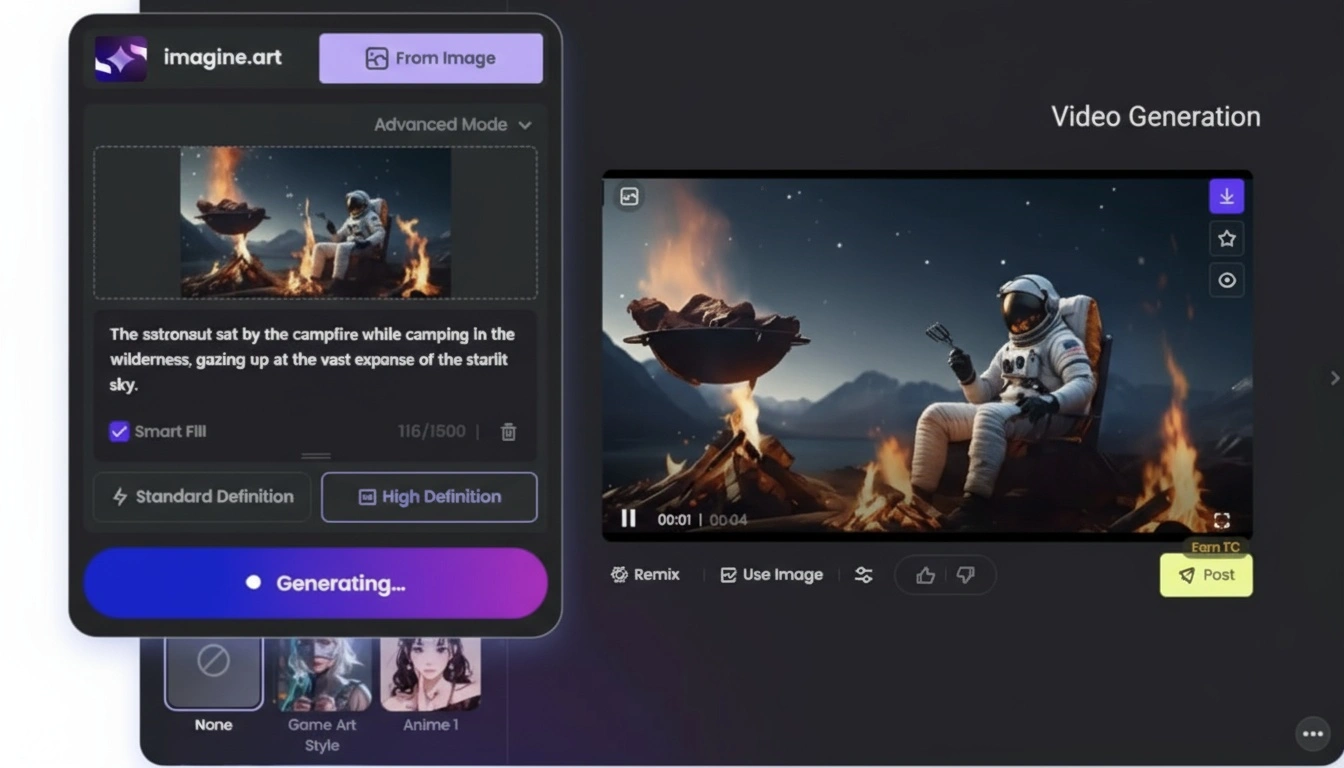
ImagineArt is a multi-model platform: one subscription covers both video and image generation, with the current top models in each. On the video side that means Google Veo 3.1, Kling 3.0 Pro, Sora 2 and Sora 2 Pro, Wan 2.6, and Hailuo 2.3. On the image side it includes Nano Banana 2, Flux 2, Seedream, and ImagineArt's own models. Credits are shared across both, which is the practical difference from single-model subscriptions: you are not paying separately to draft images and animate them.
Pricing
- Free: 100 credits refill every 24 hours
- Basic: $11/month (billed quarterly); 4.5K credits/quarter
- Standard: $25/month; 15K credits/quarter
- Professional: $50/month; 45K credits/quarter
- Scale: $100/month; 120K credits/quarter
What a video actually costs
Credits translate to real money, so here is the math. On the Standard plan, 15,000 credits for $75 a quarter works out to roughly $5 per 1,000 credits (higher tiers bring that down to about $2.50). Using the official credit rates, one video costs approximately:
| Model | Credits per video | Approx. cost (Standard plan) |
|---|---|---|
| Wan 2.2 | 30 | $0.15 |
| Seedance 1.5 Pro | 72 | $0.36 |
| PixVerse v5.5 | 120 | $0.60 |
| Sora 2 | 240 | $1.20 |
| Wan 2.6 | 300 | $1.50 |
| Hailuo 2.3 Pro | 300 | $1.50 |
| Veo 3.1 Fast | 350 | $1.75 |
| Kling 3.0 Pro | 600 | $3.00 |
| Sora 2 Pro | 720 | $3.60 |
| Google Veo 3.1 | 900 | $4.50 |
Base cost at minimum duration per the official credit rates; longer clips and higher resolutions cost more.
Images on the same credits
The image credit rates run far lower, which matters for anyone building videos from generated stills:
| Model | Credits per image | Approx. cost (Standard plan) |
|---|---|---|
| Z Image Turbo | 5 | $0.03 |
| Seedream v5 Lite | 20 | $0.10 |
| ImagineArt 1.5 Pro | 25 | $0.13 |
| Flux 2 Pro | 28 | $0.14 |
| Nano Banana 2 | 49 (1K) to 98 (4K) | $0.25 to $0.49 |
Base cost per single image per the official credit rates; multi-image generations and upscaling cost more.
The workflow this enables: draft the shot as a $0.10 image, iterate until it is right, then spend video credits animating only the winner. That iteration pattern is where multi-model platforms beat per-tool subscriptions on real cost, since failed attempts happen at image prices, not video prices.
The free tier's 100 daily credits also work differently from most free plans; they refill every day rather than granting a one-time allowance, which adds up to roughly 3,000 credits a month, enough for daily draft-tier videos indefinitely without paying.
Synthesia
Synthesia is one of the most mature AI video platforms on the market. It focuses heavily on generating human avatar–led explainer and corporate videos with accurate lip-sync and branding capabilities.
The interface is intuitive, making it suitable for business users, educators, and marketers alike. It’s well regarded for its enterprise-ready workflow, although some users mention that creative flexibility is limited due to the structured format.
Pricing
- Free tier – 3 minutes of video/month
- Starter – $18/month (annual billing); converts to 120 min/year
- Creator – $64/month (annual), 360 min/year
- Enterprise – Custom pricing
The Starter plan gives you approximately 15 minutes of avatar-led content monthly, which is more than sufficient for regular internal updates or onboarding material. The Creator plan unlocks extended usage and enhanced editing tools. Enterprise options are designed for scalable production and offer integration support.
Pika AI
Pika is a creative idea-to-video platform that thrives on fun, surreal, and character-driven content. It stands out for its “Pikaswaps” and “Selfie With Your Younger Self” features, which have gone viral for their quirky, emotionally engaging results. Users praise its intuitive interface and evolving model options like Turbo and Pro.
Pricing
- Free – 80 monthly video credits (upfront), download video with no watermark.
- Standard – $10/month; 700 monthly video credits
- Pro – $35/month; 2300 monthly video credits
- Fancy – $95/month; 6,000 monthly video credits
Each prompt costs credits depending on model and duration—for example, Turbo models start at 5 credits per 5 s snippet, while Pro and 2.1 offer more refined results at a higher cost.
Standard supports casual use and hobbyist creators. Pro delivers more consistent output and includes commercial rights, while Fancy gives access to top models with ample credits for professional or serialized content. Learn more about Pika Labs pricing on ImagineArt blog.
Google Veo 3.1
Veo 3.1 is Google’s state-of-the-art cinematic video model, capable of producing clips up to native 4K with generated audio, and widely rated as having the best lip-sync on the market. It’s widely seen as a benchmark in visual quality, although it's considered complex and expensive for casual use.
Pricing
- Google AI Pro – $19.99/mo
- Google AI Ultra – $249.99/mo
The Google Ultra plan includes around 10 minutes of premium 1080p footage monthly in total, which Google claims are their highest limits for Veo 3.1 right now. Third-party plans offer more affordable alternatives with slightly fewer rendering options but the same model access. They’re ideal for prosumers or creative agencies.
If you want to use this on a reduced budget, then you can try it on ImagineArt AI video generator.
Recommended read: Google Veo 3.1 pricing
InVideo
InVideo blends AI video generation with a large library of templates and effects, making it well-suited for ads, promos, and short educational content. The tool is popular among marketers and small businesses for its ease of use and affordability, though some find the template-based system a bit repetitive over time.
Pricing
- Free – 2 video mins + 1 AI credit/week (watermarked)
- Plus – $35/month with 10 credits + 50 video mins
- Max – $60/month with 40 credits + 200 video mins
- Generative – $120/month with 100 credits + 200 video mins
- Teams/Enterprise – $999/month with 1000 credits + 2000 video mins
The Plus plan lifts watermark restrictions and allows for full-length videos up to 15 minutes. Higher tiers like Max and Generative unlock longer export times, full AI voice integration, and branding kits that support cohesive visual identity across content.
VEED IO
VEED IO functions as an all-in-one online editor with AI-driven tools for subtitles, translations, and more. It is highly valued in collaborative team environments thanks to its shared workspace features. While the platform continues to improve rendering speeds, its UI is clean and beginner-friendly.
Pricing
- Free: watermarked exports, 720p, 10-minute cap
- Lite: $12/month per editor billed annually ($19 monthly)
- Pro: $29/month per editor billed annually ($49 monthly)
- Business/Enterprise: custom
The Lite plan is sufficient for social media clips up to 10 minutes long. Pro supports 4K exports and includes advanced AI features like voice clean-up. Business plans allow for brand control, seat management, and API integration for agencies and teams.
HeyGen
HeyGen is an avatar-driven video generator, ideal for support videos, tutorials, and marketing content in professional environments. It uses real talking-head avatars with lip-synced script and voice-over capabilities. It's praised for flexible avatar creation and seamless localization use cases.
Pricing
- Free – Up to 3 videos/month with basic avatar options
- Creator – $29/month (or $24/month billed annually)
- Pro - $99/month (or $79/month billed annually)
- Business – $149/month/seat (or $119/month billed annually)
- Enterprise – Custom
Unlimited video creation at the Creator and Team tiers makes HeyGen efficient for ongoing marketing or training. The Team plan adds export flexibility, collaborative access, and 4K output. Enterprise tiers are built for large teams needing premium avatars and priority support.
Runway
Runway is a creator-focused platform packed with timeline editing, Gen‑4 Turbo models, motion tracking, and keyframe precision. Its flexibility and quality are frequently praised, particularly among filmmakers and experimental creators. Some users mention slower rendering in high-demand periods but value its innovative edge.
Pricing
- Free – 125 credits (≈25 sec Gen‑4 Turbo)
- Standard – $12/month per user
- Pro – $28/month
- Unlimited – $76/month
- Enterprise – Custom
Standard plans allow for light creative exploration, generating around 1 minute of AI video monthly. With Pro, you unlock 3–4 minutes of high-resolution output, while Unlimited enables commercial creators to work without credit constraints.
Recommended read: Runway AI Pricing
Seedance
Backed by ByteDance, the makers of TikTok, Seedance is a very fresh AI video model that offers cinematic-style multi-shot storytelling with dynamic transitions. Its videos mimic real camera movement and deliver visually cohesive sequences. It’s frequently praised for its richness in motion and naturalistic style.
Pricing
- Basic – $19.90/month; 150 credits
- Other tiers – $12.5 to $62.9/month
A $20/month plan delivers around 25 five-second HD clips, while higher tiers provide 50–200 clips with rollover credits and faster queueing. It’s ideal for creators who want smoother narrative flow and AI-assisted scene evolution.
Luma Ray2
Luma Ray2, featured in Luma’s Dream Machine, delivers cinematic 10-second videos with fluid motion and sharp realism. It's particularly known for physics-aware motion and excellent camera pathing. Users praise its responsive prompt-following, noting that results often feel production-ready.
Pricing
- Free – 720p output, low priority, watermarked
- Lite – $9.99/month (or $6.99/month billed annually)
- Plus – $29.99/month (or $20.99/month billed annually)
- Unlimited – $94.99/month (or $66.49/month billed annually)
- Enterprise – Custom
Lite includes about 20 clips per month at 1080p. Plus upgrades the experience with no watermark and higher priority, making it suitable for creators publishing regularly. Unlimited unlocks relaxed-mode rendering for continuous output, great for commercial teams or heavy users. Learn more about Luma Ray2 on ImagineArt blog.
Hailuo
Hailuo is a rising AI video tool by the Chinese company MiniMax, focused on visual storytelling with cinematic flair. It allows for prompt-based control over things like character animation and camera angles. Users frequently highlight its viral content potential and the sheer speed at which it renders high-quality footage.
Pricing
- Free – 1,000 credits, watermarked
- Standard – $14.99/month
- Pro - $54.99/month
- Master - $119.9/month
- Unlimited – $94.99/month
- API – $0.20/text‑to‑video, $0.30/image‑referenced
The free tier provides roughly 20–30 short (5–10 sec) watermarked clips. Standard removes the watermark and offers HD exports with fast queue access. Unlimited grants creators the ability to generate content without credit limits, suitable for short-form storytelling or daily social media posts.
Recommended read: Hailuo AI Pricing
Kling
Kling is known for generating highly realistic, smooth-motion AI videos with professional visual quality. It’s widely used for short cinematic content, product demos, and expressive storytelling. Users appreciate the realism in movement and lighting, especially when using the Pro and Premier tiers that unlock high-end model access and fast rendering.
Pricing
- Basic – Free; limited credits via monthly login
- Standard – $79.20/year (660 credits/month)
- Pro – $293.04/year (3,000 credits/month)
- Premier – $728.64/year (8,000 credits/month)
All paid tiers include fast-track generation, watermark removal, video extension, image upscaling, and professional video mode. Pro and Premier plans also offer early access to new features. With models like Kling 3.0, Kling 2.6, Kling 2.5, Kling 1.5 Pro, Kling 2.1 Pro, and 2.1 SD costing between 150–300 credits per video, the Standard plan supports up to 2–4 Pro-level videos per month. Pro and Premier tiers unlock significantly more — ideal for creators who need consistent, high-quality video output throughout the year.
Recommended read: Kling AI Pricing
PixVerse
PixVerse is a highly versatile and flexible AI video tool. It lets users create short clips from text or images with simple controls, and is often praised for its fast rendering and daily usability.
The best thing about PixVerse is its intuitive fusion and transition modes, which let you mix and blend existing media into new AI-generated content. Adding speech and sound is just as simple — just type the dialogue script into the prompt box, and the tool takes care of the rest.
Pricing
- Basic – Free with daily credit renewals
- Standard – $10/month
- Pro – $30/month
- Premium – $60/month
- Enterprise – Starting from $100/month
Standard plans support hundreds of short clips monthly. Pro and Premium tiers allow for longer scenes and improved stability. Enterprise plans are tailored to high-volume creators or platforms looking to automate media output.
Recommended read: PixVerse AI Pricing
Pictory
Pictory provides a script-to-video platform built for speed and simplicity, using stock footage to turn ideas into visuals quickly. It’s especially popular for social media content, listicles, and highlight reels. Users find it approachable, though some feel its template variety could be expanded for more visual diversity.
Pricing
- Free trial with limited tokens
- Starter – $19/month
- Professional – $39/month
- Teams – $99/month
- Enterprise – Contact for pricing
Starter is ideal for short-form marketing videos, while Professional lets you create longer videos (up to 10–15 minutes) with additional branding capabilities. The teams plan adds collaboration and workflow tools for businesses producing content at scale.
Which Is the Cheapest AI Video Generator?
Cheapest depends on what you are optimizing for, so here are the honest verdicts by scenario:
- Cheapest way to start: a recurring free tier. Most free plans are one-time credit grants, but ImagineArt's 100 credits refill daily, roughly 3,000 credits a month, which covers a draft-tier video every day at $0. Pika and PixVerse also offer usable free tiers for occasional clips.
- Cheapest paid entry: Kling and Luma. Kling's Standard plan works out to $6.60 a month on annual billing, and Luma's Lite is $6.99 a month billed annually. Both are single-model bets, so you are locked into that model's strengths.
- Cheapest per finished clip: draft-tier models on a multi-model plan. A Wan 2.2 video costs about $0.15 on ImagineArt's Standard plan, and Seedance 1.5 Pro about $0.36, cheap enough to treat video like a sketchpad and reserve premium models for finals.
- Cheapest at serious volume: per-second APIs. For hundreds of videos a month, API pricing beats every consumer plan; current comparisons put budget-tier models around $0.05 to $0.09 per second, with multi-model routing between cheap draft models and premium finals saving 30 to 50%.
The Hidden Costs of AI Video Generation
The advertised plan price is rarely what you actually pay. Five things to check before subscribing anywhere:
- Watermarks on free tiers: Nearly every free plan watermarks exports, which makes them unusable for client or branded work; the free tier is for testing, not publishing.
- Expiring credits: Many platforms reset unused credits at renewal rather than rolling them over; VEED's own documentation confirms annual credits vanish at year-end, and it is not alone. If your usage is spiky, expiring credits quietly raise your real per-video cost.
- Per-seat billing: Editor-based pricing multiplies fast; a three-person team on a $29 per-editor plan pays $87, not $29.
- Commercial licensing gates: Several tools restrict commercial rights to mid or upper tiers (Pika, for example, includes commercial rights from Pro upward), so the cheapest plan may not legally cover the work you are doing.
- The iteration tax: Budget 25 to 50% more credits than your expected output. Failed generations, prompt experiments, and re-rolls consume credits at the same rate as keepers, and every experienced team's real numbers include them.
Final thoughts
So, which AI video generator should you pick? That depends on your goals. If you need avatar-led videos for business, tools like Synthesia or HeyGen are great. For cinematic storytelling, Veo 3.1, Kling 3.0, Luma Ray2, or Seedance 2.0 shine. If speed and social content matter most, platforms like PixVerse or Pictory might be your go-to.
But if you're looking for the best value — access to multiple high-end models like Veo 3, Kling, Hailuo, and Luma Ray2 in one place — then ImagineArt is a smart choice. With one affordable plan, you can generate both videos and images across styles, all while keeping your costs low.
Moreover, if you are looking specifically for short-form video content, then ImagineArt AI video generator is the more tailored solution for you, powered by the same top-of-the-line AI video models.
Frequently Asked Questions
AI video generation costs anywhere from free (with limitations) to $400+/month for professional plans. Most creator-tier subscriptions fall between $20–$100/month. Credit-based pricing typically runs $0.50–$30 per finished minute depending on the model and quality level. The real cost also depends on iteration, meaning how many attempts each usable video takes, so budget for more credits than your planned output.
For a recurring free option, ImagineArt's 100 daily refilling credits are the most generous free tier among major tools. For the cheapest paid plans, Kling ($6.60/month billed annually) and Luma ($6.99/month billed annually) have the lowest entry prices. Per finished clip, draft-tier models on multi-model platforms cost the least, around $0.15 to $0.40 per video. At high volume, per-second API pricing starting near $0.05 per second beats every consumer subscription.
Yes, significantly. Traditional video production costs $1,000–$5,000 per finished minute with a freelancer, and $15,000–$50,000+ through a full agency. AI generation brings that to under $30/minute, making it 100x–1,000x cheaper for equivalent runtime.
Subscription plans give you a fixed number of credits or generations per month for a flat fee; best for consistent, predictable usage. Credit-based pricing lets you buy and spend credits on demand without a recurring commitment — best for occasional use or testing multiple models.
Sameer Sohail
Sameer Sohail specializes in content marketing for GenAI and SaaS companies, helping them grow with strong writing and strategy.